
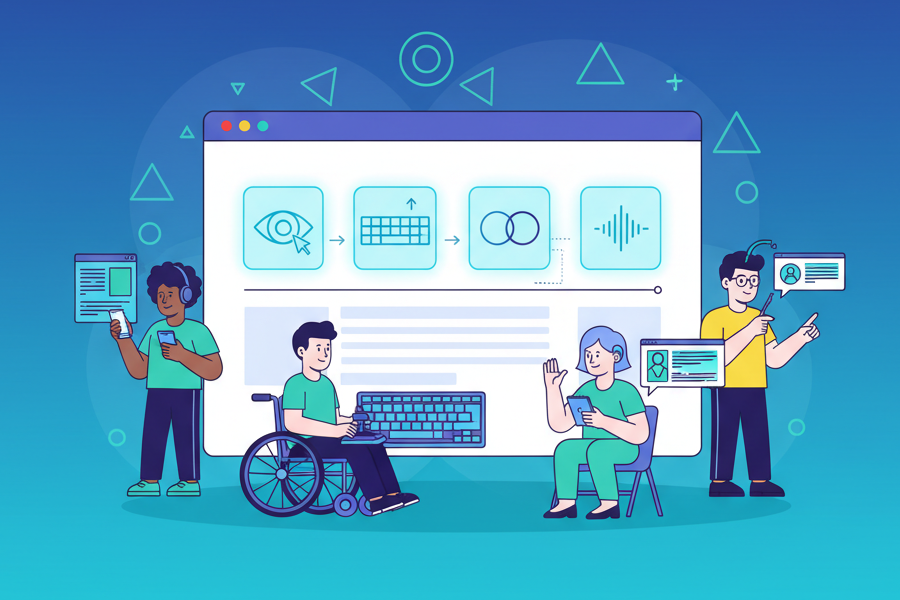
In today’s digital-first world, your website is often the first point of contact between your business and potential customers. However, what happens when 15% of the world’s population—over 1 billion people with disabilities—can’t fully access your content? Moreover, this isn’t just a minor inconvenience; it represents a significant barrier to engagement and commerce. Ultimately, web accessibility isn’t just about compliance; it’s about creating digital experiences that work for everyone.
TL;DR – Key Takeaways
- Web accessibility means everyone can use your site, including 1+ billion people with disabilities worldwide
- It’s legally required. ADA compliance is mandatory, with 4,000+ lawsuits filed in 2023 alone
- It’s good for business. Accessible sites reach more users, rank better in SEO, and reduce legal risk
- Follow WCAG 2.1 guidelines. Use the POUR principles (Perceivable, Operable, Understandable, Robust)
- Key practices: semantic HTML, keyboard navigation, alt text, color contrast 4.5:1, form labels, ARIA attributes
- Test regularly. Use automated tools (WAVE, axe, Lighthouse) plus manual keyboard/screen reader testing
- Start small. Fix critical issues first (alt text, contrast, keyboard access), then improve incrementally
- Everyone benefits. Accessibility features improve UX for all users, not just those with disabilities
What Is Web Accessibility?
Web accessibility means designing and developing websites, tools, and technologies so that people with disabilities can use them effectively. In essence, it ensures that users can perceive, understand, navigate, interact with, and contribute to the web. Fundamentally, accessibility removes barriers that prevent interaction with or access to websites.
Specifically, this includes people with:
- Visual impairments: blindness, low vision, color blindness
- Hearing impairments: deafness or hearing loss
- Motor impairments: inability to use a mouse, slow response time, limited fine motor control
- Cognitive impairments: learning disabilities, distractibility, inability to focus on large amounts of information
- Neurological impairments: seizure disorders triggered by visual strobing or flashing
As Tim Berners-Lee, the inventor of the World Wide Web, famously stated:
“The power of the Web is in its universality. Access by everyone regardless of disability is an essential aspect.”
Tim Berners-Lee, W3C Director and inventor of the World Wide Web
With this principle in mind, let’s explore why web accessibility has become more critical than ever in today’s digital landscape.
Why Web Accessibility Matters More Than Ever
1. It’s a Legal Requirement
The legal landscape around web accessibility has become increasingly strict. For instance, in the United States, the Americans with Disabilities Act (ADA) applies to websites, and consequently, lawsuits have surged in recent years. In fact, in 2023 alone, over 4,000 federal ADA lawsuits were filed related to website accessibility. Clearly, ignoring accessibility can result in significant legal consequences.
Indeed, among the most important regulations are:
- ADA (Americans with Disabilities Act): Applies to businesses open to the public
- Section 508: Requires federal agencies to make their electronic content accessible
- WCAG 2.1 (Web Content Accessibility Guidelines): International standard for web accessibility
- European Accessibility Act: Mandates accessibility for digital products and services in the EU
2. It Expands Your Audience
Beyond legal compliance, accessibility makes solid business sense. According to the World Health Organization, approximately 16% of the global population experiences some form of disability. Therefore, by making your website accessible, you’re potentially reaching millions more users. Clearly, this isn’t just good ethics—it’s good business.
To illustrate, the “Purple Pound” in the UK (the spending power of disabled people and their families) is estimated at £274 billion annually. Similarly, in the US, people with disabilities represent a market segment with over $490 billion in disposable income. Consequently, excluding this demographic means leaving substantial revenue on the table.
3. It Improves SEO Performance
Furthermore, many accessibility best practices align perfectly with SEO optimization. As a result, when you make your site accessible, you often improve its search engine ranking as well:
- First, proper heading structure helps search engines understand content hierarchy
- Additionally, alt text for images provides context for search engine crawlers
- Descriptive link text improves keyword relevance
- Furthermore, video transcripts create additional indexable content
- Finally, faster load times benefit both accessibility and Core Web Vitals
4. It Enhances User Experience for Everyone
Moreover, accessibility features benefit all users, not just those with disabilities. In fact, many innovations initially designed for people with disabilities have become mainstream features that everyone uses. For example, consider these scenarios:
- For instance, captions help people watching videos in noisy environments or quiet spaces
- Similarly, high contrast ratios make content easier to read in bright sunlight
- Additionally, keyboard navigation benefits power users who prefer keyboard shortcuts
- Clear, simple language helps non-native speakers and improves comprehension for everyone
- Moreover, responsive design that works on all devices benefits mobile users
Understanding WCAG: The Foundation of Web Accessibility
Now that we understand why accessibility matters, let’s dive into the technical framework that guides accessible web development. Notably, the Web Content Accessibility Guidelines (WCAG) are the international standard for web accessibility. Currently at version 2.1 (with 2.2 recently released), these guidelines are organized around four key principles, conveniently remembered by the acronym POUR:
1. Perceivable
First and foremost, information and user interface components must be presentable to users in ways they can perceive.
- First, provide text alternatives for non-text content
- Second, offer captions and alternatives for multimedia
- Third, create content that can be presented in different ways without losing meaning
- Additionally, make it easier for users to see and hear content
2. Operable
Secondly, user interface components and navigation must be operable by all users.
- First, ensure all functionality is available from a keyboard
- Second, provide users with enough time to read and use content
- Third, avoid designing content in a way that causes seizures
- Additionally, help users navigate and find content easily
- Finally, support alternative inputs beyond the keyboard
3. Understandable
Third, information and operation of the user interface must be understandable.
- First, ensure text is readable and understandable
- Second, design content to appear and operate in predictable ways
- Third, help users avoid and correct mistakes
4. Robust
Finally, content must be robust enough to be interpreted reliably by a wide variety of user agents, including assistive technologies.
- First, maximize compatibility with current and future user tools
- Additionally, ensure proper HTML markup and ARIA implementation
Essential Web Accessibility Best Practices
Understanding the POUR principles is essential, but putting them into practice requires specific techniques. Indeed, knowing the theory is only half the battle. Here are the most important accessibility best practices every web developer should implement:
1. Semantic HTML: The Foundation
First and foremost, using proper HTML elements is crucial for accessibility. Specifically, screen readers and other assistive technologies rely on semantic HTML to understand page structure. As discussed in my article on 10 Must-Use HTML Tags in 2025, modern HTML offers powerful semantic elements that improve both accessibility and SEO.
// Good - Semantic HTML
<header>
  <nav>
    <ul>
      <li><a href="/about">About</a></li>
    </ul>
  </nav>
</header>
<main>
  <article>
    <h1>Article Title</h1>
    <p>Article content...</p>
  </article>
</main>

// Bad - Non-semantic HTML
<div class="header">
  <div class="nav">
    <div class="link">About</div>
  </div>
</div>
2. Keyboard Navigation
Keyboard navigation is essential for accessibility. Consequently, you must ensure all interactive elements can be accessed and operated using only a keyboard. Notably, this benefits users who cannot use a mouse due to motor impairments.
- First, test all functionality using only Tab, Enter, and arrow keys
- Next, ensure focus indicators are clearly visible
- Maintain a logical tab order
- Avoid trapping keyboard focus
- Finally, provide skip links to bypass repetitive content
3. Alt Text for Images
Images are essential for engaging content, but they create barriers for screen reader users. Therefore, every image needs descriptive alt text that conveys the same information as the image. Importantly, this helps screen reader users and improves SEO. Consider these examples:
// Good alt text
<img src="chart.jpg" alt="Bar chart showing 45% increase in web accessibility lawsuits from 2022 to 2023">

// Bad alt text
<img src="chart.jpg" alt="chart">
<img src="chart.jpg" alt="image123.jpg">

// Decorative images
<img src="decorative-line.jpg" alt="" role="presentation">
4. Color Contrast
Another critical consideration is ensuring sufficient contrast between text and background colors. Specifically, WCAG requires the following ratios:
- Level AA: Minimum contrast ratio of 4.5:1 for normal text, 3:1 for large text
- Level AAA: Contrast ratio of 7:1 for normal text, 4.5:1 for large text
Additionally, never rely on color alone to convey information. Instead, use icons, text labels, or patterns in addition to color.
5. Form Accessibility
Equally important, forms are critical interaction points that must be fully accessible. Indeed, poorly designed forms can completely block users from completing essential tasks. Consider the following example:
<form>
  <label for="email">Email Address *</label>
  <input
    type="email"
    id="email"
    name="email"
    required
    aria-required="true"
    aria-describedby="email-help"
  >
  <span id="email-help">We'll never share your email</span>

  <!-- Error messaging -->
  <div role="alert" aria-live="polite">
    Please enter a valid email address
  </div>
</form>
6. ARIA (Accessible Rich Internet Applications)
Moving forward, ARIA attributes provide additional context to assistive technologies. However, it’s crucial to remember the first rule of ARIA: Don’t use ARIA if you can use native HTML instead. In other words, native HTML should always be your first choice. When ARIA is necessary, use it thoughtfully:
// ARIA roles
<div role="navigation">...</div>
<div role="main">...</div>
<div role="banner">...</div>

// ARIA states and properties
<button aria-expanded="false" aria-controls="menu">Menu</button>
<div aria-label="Loading content" aria-busy="true">...</div>
<input aria-invalid="true" aria-describedby="error-msg">
7. Responsive and Mobile Accessibility
In addition to desktop considerations, mobile accessibility has unique requirements that demand special attention:
- First, ensure touch targets are at least 44×44 pixels
- Next, avoid hover-only interactions
- Support screen orientation changes
- Additionally, ensure text can be resized up to 200% without loss of functionality
- Finally, test with mobile screen readers (VoiceOver on iOS, TalkBack on Android)
Testing Your Website for Accessibility
Once you’ve implemented accessibility features, regular testing is essential to maintain accessibility. Just as performance testing improves user experience (as explored in my guide on Material Design Motion and Perceived Performance), accessibility testing ensures your site works for everyone. For best results, use a combination of automated tools and manual testing:
Automated Testing Tools
While manual testing is crucial, automated tools can quickly identify many accessibility issues. Here are the most effective tools to incorporate into your workflow:
- WAVE (Web Accessibility Evaluation Tool): Free browser extension that provides visual feedback
- axe DevTools: Chrome and Firefox extension for developers
- Lighthouse: Built into Chrome DevTools, includes accessibility audit
- Pa11y: Command-line tool for automated testing
- NVDA or JAWS: Screen readers for testing (NVDA is free)
Manual Testing Checklist
Beyond automated tools, manual testing is essential to catch issues that tools miss. Here’s a comprehensive checklist to follow:
- First, navigate entire site using only keyboard (Tab, Enter, Spacebar, Arrow keys)
- Next, test with screen reader (NVDA, JAWS, or VoiceOver)
- Then, verify all images have appropriate alt text
- After that, check color contrast ratios
- Furthermore, ensure all form fields have labels
- Subsequently, test video and audio content for captions/transcripts
- Verify heading hierarchy is logical
- Additionally, test with browser zoom at 200%
- Check that error messages are clear and helpful
- Finally, ensure focus indicators are visible
Common Accessibility Mistakes to Avoid
Even with the best intentions, developers often make the same accessibility mistakes. Fortunately, being aware of these common pitfalls can save you time and improve your site’s usability:
| Mistake | Impact | Solution |
|---|---|---|
| Missing alt text | Screen reader users can’t understand images | Add descriptive alt attributes to all images |
| Low color contrast | Text is difficult to read for users with low vision | Use tools to check contrast ratios (4.5:1 minimum) |
| Unlabeled form fields | Users don’t know what to enter | Associate every input with a label element |
| Keyboard traps | Users can’t navigate away from elements | Test all interactive elements with keyboard |
| Missing heading structure | Makes content difficult to navigate | Use proper heading hierarchy (h1, h2, h3) |
| Auto-playing media | Distracts users and interferes with screen readers | Don’t auto-play; provide clear controls |
| Time limits | Some users need more time to complete tasks | Avoid time limits or make them adjustable |
The Business Case for Accessibility
While the ethical and legal arguments for accessibility are compelling, the business benefits are equally significant. In fact, beyond legal compliance and ethical considerations, web accessibility also delivers measurable business benefits:
Increased Market Reach
By 2050, the number of people aged 60 and older will double to 2 billion globally. Consequently, age-related impairments like vision loss, reduced dexterity, and cognitive decline make accessibility even more critical. Therefore, accessible websites effectively capture this growing demographic. Moreover, this represents a significant market opportunity that forward-thinking businesses cannot afford to ignore.
Improved Brand Reputation
In addition, companies that prioritize accessibility demonstrate social responsibility and inclusive values. Notably, this resonates with consumers—81% of millennials expect companies to make public commitments to good corporate citizenship. Furthermore, accessible websites signal that your company values all customers equally, which strengthens brand loyalty and positive word-of-mouth.
Better Conversion Rates
Furthermore, accessible websites are typically easier to use for everyone, leading to improved user experience and higher conversion rates. In fact, the Click-Away Pound Survey found that 71% of disabled customers will leave a website if it’s difficult to use. Therefore, investing in accessibility directly impacts your bottom line by reducing bounce rates and increasing conversions.
Reduced Legal Risk
Finally, ADA website lawsuits cost businesses an average of $30,000 to $50,000 in legal fees and settlement costs. In contrast, proactive accessibility measures are far less expensive than reactive legal defense. Thus, accessibility is not just an expense—it’s an investment that prevents costly litigation.
Getting Started: Your Accessibility Roadmap
Understanding the importance of accessibility is one thing, but implementation is where many developers struggle. Fortunately, improving website accessibility doesn’t have to be overwhelming. Rather, by breaking the process into manageable phases, you can make steady progress without becoming overwhelmed. Follow this practical roadmap:
Phase 1: Assess (Weeks 1-2)
Before making changes, you need to understand your current accessibility status. During this initial phase:
- First, run automated accessibility scans on your site
- Next, document current issues and prioritize by severity
- Then, test key user flows with keyboard only
- Finally, have team members try screen readers
Phase 2: Fix Critical Issues (Weeks 3-6)
Once you’ve identified issues, prioritize the most critical problems first. In this phase, focus on:
- Begin by adding missing alt text to images
- Next, fix color contrast issues
- Then, ensure all functionality is keyboard accessible
- Additionally, add proper labels to form fields
- Finally, establish proper heading hierarchy
Phase 3: Implement Best Practices (Weeks 7-12)
With critical issues resolved, you can now implement comprehensive accessibility best practices. During this phase:
- First, create accessibility guidelines for your team
- Then, implement ARIA where needed
- Additionally, add captions to video content
- Next, improve error messaging and validation
- Finally, test with real users with disabilities
Phase 4: Maintain and Improve (Ongoing)
Accessibility isn’t a one-time project; it requires ongoing commitment. To maintain and continuously improve accessibility:
- First, incorporate accessibility into your development process
- Schedule regular accessibility audits
- Continuously train team members on accessibility
- Stay updated on WCAG guidelines
- Finally, gather feedback from users with disabilities
The Future of Web Accessibility
As we look to the future, web accessibility continues to evolve with technology. As discussed in my overview of the Evolution of Front-End Development, the web is constantly advancing, and accessibility standards are keeping pace. Looking ahead, emerging trends include:
- AI and Machine Learning: Automated alt text generation, real-time captioning, and content simplification
- Voice Interfaces: Growing importance of voice control and voice-activated navigation
- AR/VR Accessibility: New guidelines for immersive experiences
- Cognitive Accessibility: Increased focus on neurodiversity and cognitive disabilities
- WCAG 3.0: The next generation of accessibility guidelines in development
Conclusion: Accessibility Is Everyone’s Responsibility
Throughout this guide, we’ve explored the technical, legal, and business aspects of web accessibility. However, the core message remains simple: Web accessibility isn’t a feature to be added or a box to be checked. Rather, it’s a fundamental aspect of creating excellent web experiences. Ultimately, when we build accessible websites, we create a more inclusive digital world that benefits everyone. In the end, accessibility is not just the right thing to do—it’s essential for building a web that truly serves all users.
Indeed, the web was designed to work for all people, regardless of their hardware, software, language, location, or ability. As web professionals, therefore, it’s our responsibility to keep it that way.
Therefore, start small, test often, and remember that perfect accessibility is a journey, not a destination. After all, every improvement you make creates a better experience for your users—and that’s what great web development is all about.
Resources for Further Learning
To continue your accessibility journey, meanwhile, here are some invaluable resources:
- WCAG 2.1 Quick Reference
- WebAIM (Web Accessibility In Mind)
- The A11Y Project
- Axe DevTools
- WAVE Browser Extensions
- NVDA Screen Reader
Related Articles from My Blog
- 10 Must-Use HTML Tags in 2025 – Learn about semantic HTML elements that improve accessibility
- How Material Design Motion Improves Perceived Performance – Accessibility considerations for animations
- Evolution of Front-End Development (2010-2025) – See how accessibility has evolved over time
Ready to make your website more accessible? Start by running an automated accessibility test today. Your users (and your business) will thank you.
Leave a Reply