
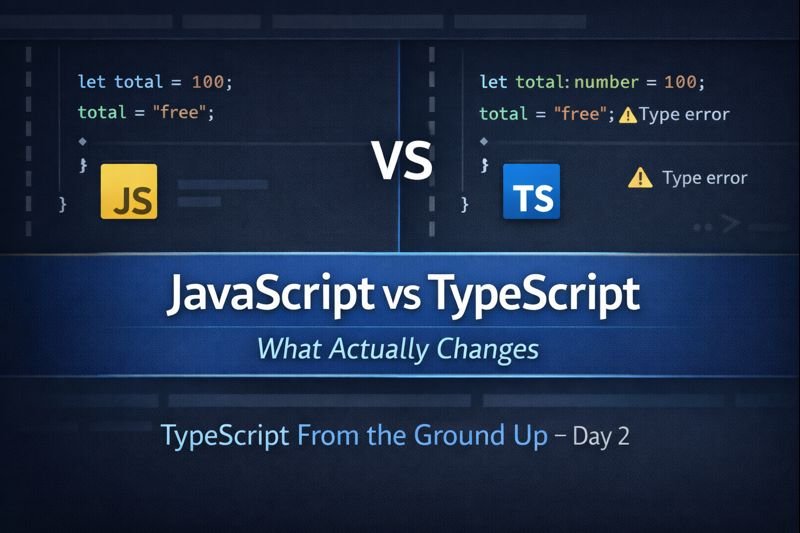
TypeScript From the Ground Up — Day 2
TypeScript is often described as “JavaScript with types,” but that explanation is incomplete. To really understand TypeScript, you need to understand what actually changes and what stays the same.
This article breaks down the real differences between JavaScript and TypeScript, without hype or shortcuts, so you know exactly what problem TypeScript solves and what it does not.
If you missed Day 1, start here: TypeScript Basics for Beginners (From the Ground Up). This post builds directly on those concepts.
JavaScript does not go away
The most important thing to understand is this: TypeScript does not replace JavaScript.
Browsers do not run TypeScript. They never will. Every line of TypeScript you write is compiled into plain JavaScript before it ever reaches the browser.
This means learning TypeScript is not learning a new runtime. It is learning how to write JavaScript more deliberately.
What JavaScript allows (and why it can be dangerous)
JavaScript is extremely flexible. That flexibility is powerful, but it can also hide bugs.
function add(a, b) {
  return a + b;
}

add(2, "3"); // "23"
This code is valid JavaScript. It runs without errors. But the result is probably not what the developer intended.
JavaScript assumes you know what you are doing. It does not question your intent.
What TypeScript adds on top of JavaScript
TypeScript adds a layer of analysis before your code runs.
It does not change how JavaScript behaves at runtime. It changes how your code is validated during development.
function add(a: number, b: number): number {
  return a + b;
}

add(2, "3"); // TypeScript error
TypeScript stops you early. The browser never sees the mistake.
This is the core value of TypeScript: catching incorrect assumptions before users do.
Reference: TypeScript Handbook – Introduction
Static typing vs dynamic typing
JavaScript is dynamically typed. Types are determined at runtime.
TypeScript introduces static typing. Types are checked before the code runs.
Static typing does not make code slower. It makes code clearer.
let total = 100;
total = "free"; // JavaScript allows this
TypeScript treats this as a problem, not a feature.
TypeScript errors are guidance, not punishment
A common beginner mistake is treating TypeScript errors as obstacles.
In reality, TypeScript errors are documentation. They explain what your code expects and why something does not align.
Instead of asking “How do I silence this error?”, ask “What assumption is TypeScript protecting me from?”
This mindset shift is what separates beginners from senior developers.
What does not change when using TypeScript
- JavaScript syntax and behavior
- The browser runtime
- How async code works
- Performance characteristics
TypeScript does not magically fix bad architecture. It makes problems visible sooner.
When TypeScript starts paying off
TypeScript delivers the most value when:
- Code is shared between multiple developers
- Data flows across multiple layers
- Refactoring is frequent
- The project will live longer than a few weeks
For small scripts, TypeScript may feel unnecessary. For real applications, it becomes indispensable.
Day 2 takeaway
JavaScript gives you freedom. TypeScript gives you feedback.
TypeScript does not change what your code does. It changes how confident you are in what your code is doing.
Tomorrow, we will break down everyday types and how to use them without overcomplicating your code.
Leave a Reply