
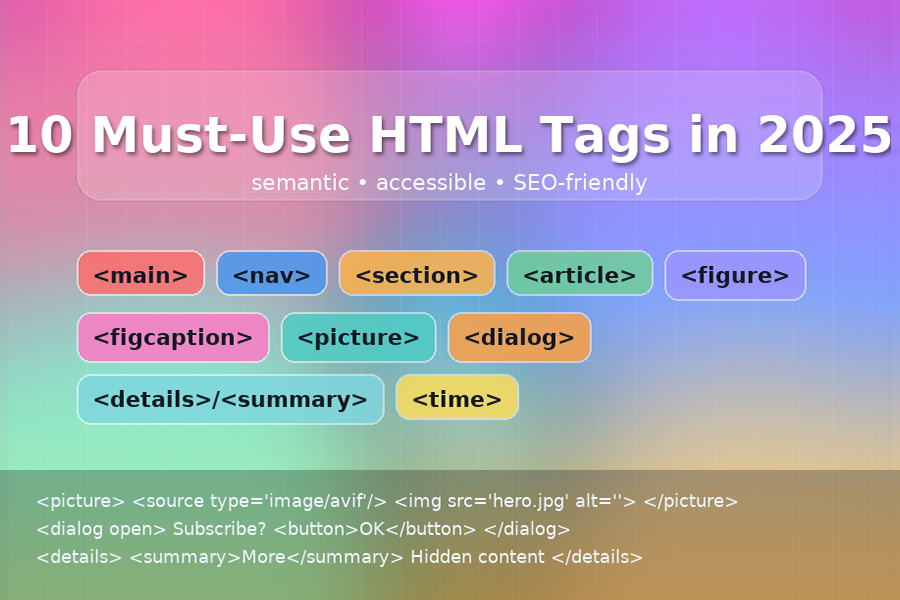
10 Must-Use HTML Tags in 2025 (and How to Use Them)
Modern HTML lets you ship cleaner markup, better accessibility, and stronger SEO—without heavy JavaScript. Below are ten tags worth using on every project in 2025, with tiny copy-paste snippets and quick tips.
New here? You might also like my posts on Emmet tips and CSS features in 2025.
1) <main> — the page’s primary content
Why: Screen readers can jump here; improves landmark navigation and SEO clarity.
<body>
  <header>...</header>
  <main id="content">
    <h1>Product Roadmap</h1>
    ...
  </main>
  <footer>...</footer>
</body>
Pro tip: Only one <main> per page; don’t nest it.
2) <header> — intro + wayfinding
Why: Semantic container for logos, titles, and primary actions (page-level or section-level).
<header class="site-header">
  <a class="logo" href="/">Acme</a>
  <nav aria-label="Primary">...</nav>
</header>
Pro tip: You can have multiple headers (e.g., a section header), but typically one site header.
3) <nav> — primary/secondary navigation
Why: Creates a navigation landmark for assistive tech.
<nav aria-label="Primary">
  <ul class="menu">
    <li><a href="/pricing">Pricing</a></li>
    <li><a href="/docs">Docs</a></li>
  </ul>
</nav>
Pro tip: Add a meaningful aria-label (e.g., “Primary”, “Footer”, “Breadcrumbs”).
4) <section> — group related content
Why: Adds structure and contributes to the document outline; pair with a heading.
<section aria-labelledby="features">
  <h2 id="features">Features</h2>
  <p>Fast, accessible, and lightweight.</p>
</section>
Pro tip: If it doesn’t need a heading, a <div> may be more appropriate.
5) <article> — self-contained, shareable units
Why: Perfect for blog posts, changelog entries, or comments—content that stands on its own.
<article>
  <header>
    <h2><a href="/blog/emmet-tips">Emmet Tips & Tricks</a></h2>
    <p><time datetime="2025-08-15">Aug 15, 2025</time></p>
  </header>
  <p>Emmet can speed up your HTML by 5–10×…</p>
</article>
Pro tip: Use unique headings for each <article>.
6) <figure> + <figcaption> — media with context
Why: Bundles images, code samples, or charts with an accessible caption.
<figure class="chart">
  <img src="/img/lcp-trend.png" alt="LCP trend over 6 months" width="900" height="400">
  <figcaption>Largest Contentful Paint trends for the marketing site.</figcaption>
</figure>
Pro tip: <figcaption> can be first or last; always write useful alt text.
7) <picture> — responsive + modern image formats
Why: Serve AVIF/WebP to capable browsers with a safe JPEG fallback.
<picture>
  <source type="image/avif" srcset="/img/hero.avif">
  <source type="image/webp" srcset="/img/hero.webp">
  <img src="/img/hero.jpg" width="1600" height="900"
       alt="Creative workspace with laptop and sticky notes">
</picture>
Pro tip: Keep width/height on <img> to reserve layout space (better CLS).
8) <dialog> — accessible modals & popovers
Why: Native focus management, ESC to close, and ARIA baked in.
<button id="open">Subscribe</button>

<dialog id="subscribe">
  <form method="dialog">
    <h2>Join the newsletter</h2>
    <p><label>Email <input type="email" required></label></p>
    <menu>
      <button value="cancel">Cancel</button>
      <button value="submit">Subscribe</button>
    </menu>
  </form>
</dialog>

<script>
  const dlg = document.getElementById('subscribe');
  document.getElementById('open').addEventListener('click', () => dlg.showModal());
</script>
Pro tip: Use showModal() for proper modal behavior and keyboard trapping.
9) <details> + <summary> — disclosure without JS
Why: Accessible accordions/FAQs out of the box.
<details>
  <summary>What’s your refund policy?</summary>
  <p>We offer a 30-day, no-questions-asked refund.</p>
</details>
Pro tip: Keep <summary> concise; the rest can contain rich content.
10) <time> — dates machines understand
Why: Helps search engines and assistive tech parse dates/times.
<p>Next webinar: <time datetime="2025-09-10T17:00:00Z">September 10, 2025 at 17:00 UTC</time></p>
Pro tip: Use ISO-8601 in datetime; put human-friendly text between the tags.
Bonus tags worth knowing
<template>— inert HTML you can clone with JS for dynamic lists/cards.<slot>— content slots for Web Components.<aside>/<footer>— more landmarks for sidebars and site footers.
Quick checklist for 2025 projects
- Use landmarks:
header,nav,main,footer. - Structure with
section+ headings; wrap standalone pieces inarticle. - Prefer
figure/figcaptionfor media;picturefor responsive formats. - Reach for
dialoganddetails/summarybefore writing custom JS. - Mark dates with
time; it’s great for SEO and i18n.
Further reading:
- Emmet Tips & Tricks for Beginners
- Exploring New CSS Features in 2025
- JavaScript Promise: What It Is and How to Use It
For tag-by-tag references, see MDN (search any tag name + “MDN” for the official docs).
Leave a Reply